Technologia Buddy
You open Amazon, search "Fire TV Stick," and boom — four models at four prices. $19.99 for the HD, $19.99 for the 4K Select (yes, same price), $39.99 for the 4K Plus, and $59.99 for the 4K Max. Same brand. Same basic shape. Completely different inside.
Which one do you actually need? I tested all four for two weeks — binged 4K HDR content, tried Luna gaming, sideloaded random APKs, and A/B tested picture quality on a 65-inch OLED. Here's everything you need to know.
Fire TV Stick HD
📸 Source: Amazon Official Product Page
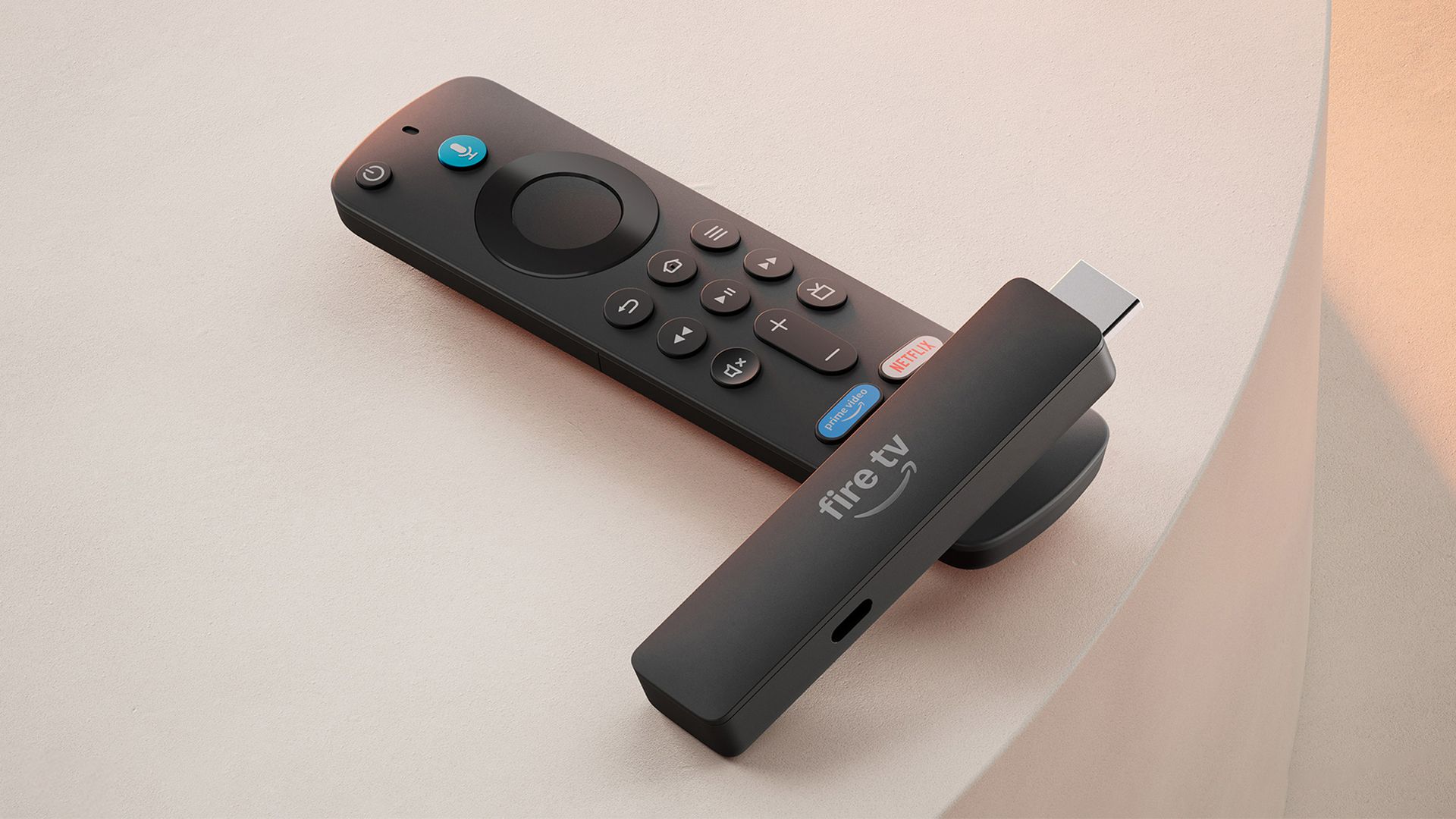
The Fire TV Stick HD is the cheapest way to get into Amazon's streaming ecosystem. It outputs a solid 1080p picture, runs on WiFi 5, and comes with 1GB RAM and 8GB storage.
But here's the catch: it runs Vega OS 1.1, not Fire OS. That means no sideloading apps, a limited app selection (no Kodi, no SmartTubeNext), and a more locked-down experience. Amazon calls it "more secure." In practice, it means you get Netflix, Prime Video, Disney+, and not much else beyond that.
✅ Pros
- Cheapest Fire TV Stick available
- Dolby Atmos passthrough (via HDMI)
- Vega OS is more secure and stable
- Alexa Voice Remote 3rd Gen included
- Compact and easy to travel with
❌ Cons
- No 4K output
- No Dolby Vision or HDR
- No sideloading — Vega OS is locked down
- Limited app selection
- Only 1GB RAM — can feel sluggish
- WiFi 5 only (no WiFi 6)
Remote: Alexa Voice Remote 3rd Gen (no volume controls)
Check Price on Amazon →Fire TV Stick 4K Select
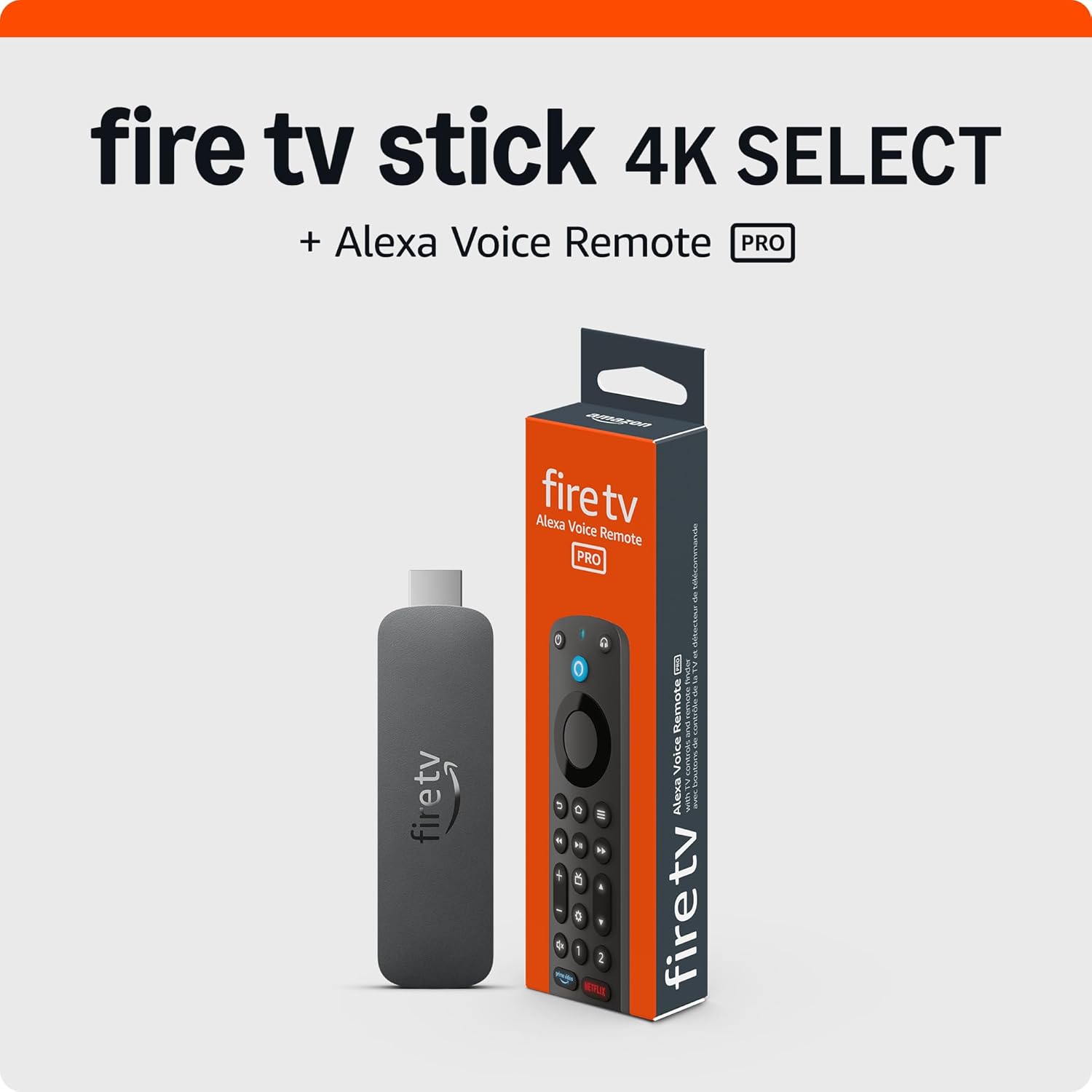
📸 Source: Amazon Official Product Page
Here's where it gets confusing — the 4K Select costs the same $19.99 as the HD model. So why would anyone buy the HD? The 4K Select gives you 4K output and HDR10+ support for the same price. That sounds like a no-brainer, right?
Not so fast. Like the HD, the 4K Select runs Vega OS 1.1. That means no Dolby Vision, no Dolby Atmos, and no sideloading. The app selection is the same limited list. You're getting 4K resolution, but you're missing the premium HDR format (Dolby Vision) that most streaming services use for their best-looking content.
✅ Pros
- Very affordable at $19.99
- 4K output at the lowest price
- HDR10+ support
- Same price as the HD model — better value on paper
- Alexa Voice Remote 3rd Gen included
❌ Cons
- No Dolby Vision
- No Dolby Atmos
- No sideloading (Vega OS)
- Limited app selection
- 1GB RAM — still sluggish
- WiFi 5 only
Remote: Alexa Voice Remote 3rd Gen (no volume controls)
Check Price on Amazon →Fire TV Stick 4K Plus
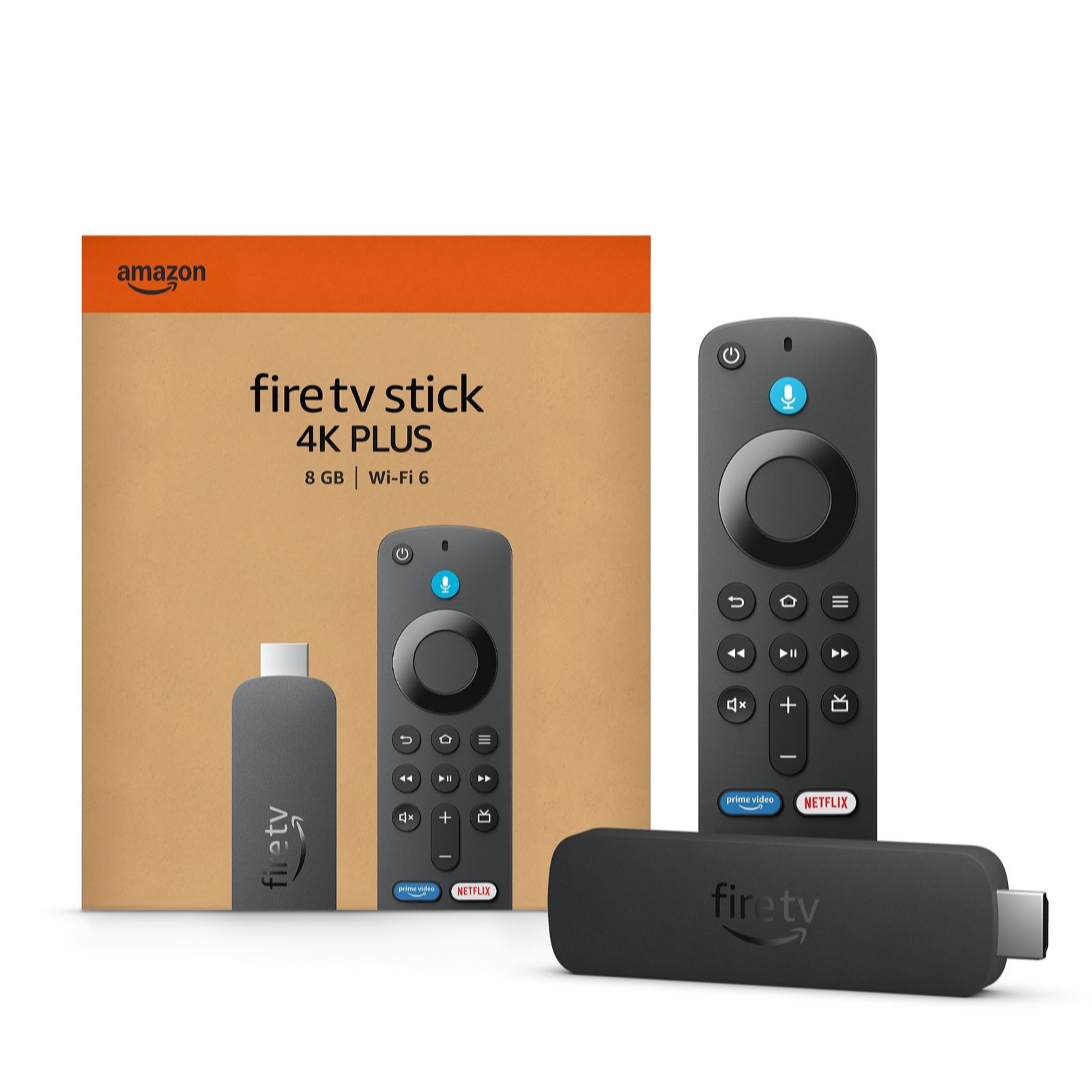
📸 Source: Amazon Official Product Page
The 4K Plus is where things get serious. For $39.99 — twice the price of the budget models — you get full Dolby Vision and Dolby Atmos support, WiFi 6, 2GB RAM, and most importantly: Fire OS 8 based on Android instead of Vega OS.
This means sideloading works. You can install Kodi, SmartTubeNext, retro gaming emulators, or any Android APK. The app selection jumps from "limited" to "basically everything on Android TV." Dolby Vision on a 4K OLED looks dramatically better than HDR10+ — richer colors, deeper blacks, scene-by-scene optimization.
The trade-off? Still only 8GB of storage (about 5GB usable), and you get the standard Alexa Voice Remote 3rd Gen without volume controls.
✅ Pros
- Full Dolby Vision + Dolby Atmos
- WiFi 6 for smoother streaming
- 2GB RAM — snappier performance
- Fire OS 8 — sideloading works
- Full Android app ecosystem
- Great price-to-features ratio
❌ Cons
- Only 8GB storage (~5GB usable)
- Regular remote (not Enhanced)
- No volume controls on remote
- Slower processor than 4K Max
Remote: Alexa Voice Remote 3rd Gen
Check Price on Amazon →Fire TV Stick 4K Max (2nd Gen)
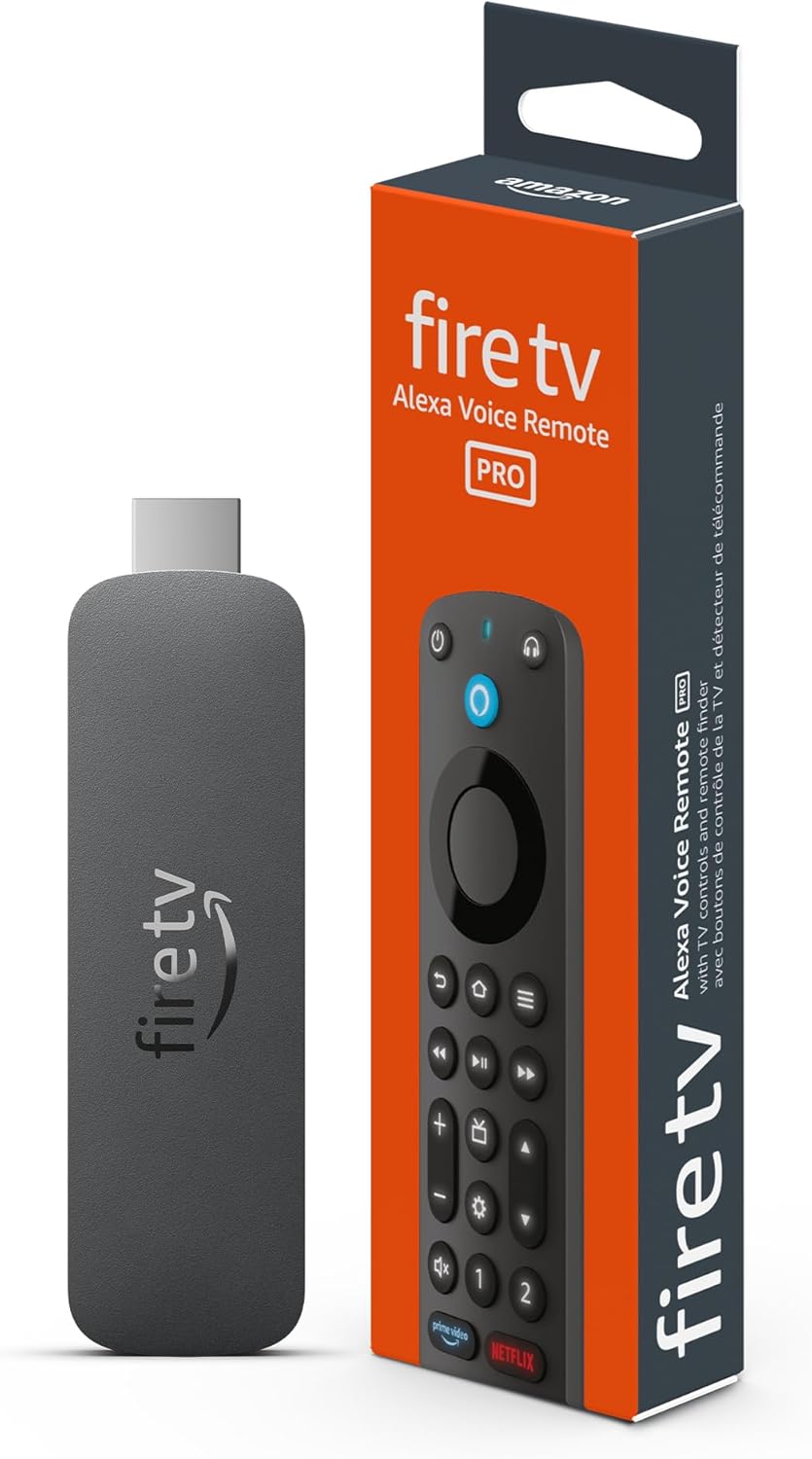
📸 Source: Amazon Official Product Page
The 4K Max 2nd Gen is the flagship. It has everything the 4K Plus has — Dolby Vision, Dolby Atmos, WiFi 6, Fire OS 8 — plus double the storage (16GB), a 2.0GHz processor (the fastest in any Fire TV Stick), and the Alexa Voice Remote Enhanced with dedicated volume and mute buttons.
The extra storage matters more than you'd think. After system files, you get about 12GB usable on the Max vs ~5GB on the Plus. That's enough for a few games, multiple streaming apps, and some sideloaded apps without constantly managing space. The faster processor also makes UI navigation noticeably snappier, especially in apps like Kodi or when gaming with Luna.
At $59.99, it's the most expensive Fire TV Stick — but it's also the only one that feels truly premium.
✅ Pros
- Fastest processor (2.0GHz)
- 16GB storage — double the competition
- WiFi 6 + Dolby Vision + Atmos
- Alexa Voice Remote Enhanced (volume controls)
- Fire OS 8 with full sideloading
- Best UI performance of any Fire Stick
❌ Cons
- Most expensive at $59.99
- Overkill for basic streaming
- Same form factor as cheaper models
Remote: Alexa Voice Remote Enhanced (with volume + mute controls)
Check Price on Amazon →📊 Full Comparison Table
Every category compared side-by-side. Winners in green bold.
| Category | HD ($19.99) | 4K Select ($19.99) | 4K Plus ($39.99) | 4K Max ($59.99) |
|---|---|---|---|---|
| 💰 Price | $19.99 | $19.99 | $39.99 | $59.99 |
| 📺 Resolution | 1080p | 4K | 4K | 4K |
| 🌈 HDR | None | HDR10+ | Dolby Vision + HDR10+ | Dolby Vision + HDR10+ |
| 🔊 Audio | Atmos passthrough | No Atmos | Dolby Atmos | Dolby Atmos |
| ⚡ Processor | 1.7GHz | 1.7GHz | 1.7GHz | 2.0GHz |
| 🧠 RAM | 1GB | 1GB | 2GB | 2GB |
| 💾 Storage | 8GB | 8GB | 8GB | 16GB |
| 📶 WiFi | WiFi 5 | WiFi 5 | WiFi 6 | WiFi 6 |
| 🖥️ OS | Vega OS 1.1 | Vega OS 1.1 | Fire OS 8 | Fire OS 8 |
| 📦 Sideloading | ❌ No | ❌ No | ✅ Yes | ✅ Yes |
| 🎮 Remote | Standard | Standard | Standard | Enhanced (volume) |
| 🎯 Best For | Budget / Bedroom | Budget 4K | Main TV / Best Value | Power Users / Gaming |
* Prices as of May 2026. Vega OS models do not support sideloading. Fire OS 8 is Android-based with full app flexibility.
⚙️ Vega OS vs Fire OS — The Critical Difference
This is the most important thing to understand before buying a Fire TV Stick in 2026. Amazon has split its product line into two completely different operating systems, and it changes everything about how you'll use the device.
🛡️ Vega OS 1.1 — The Locked-Down Experience
Found on: Fire TV Stick HD, Fire TV Stick 4K Select
Vega OS is Amazon's proprietary, lightweight operating system designed for security and simplicity. It's not based on Android. The app selection is curated by Amazon — you get Netflix, Prime Video, Disney+, Hulu, YouTube, Max, and a handful of others. No Kodi. No SmartTubeNext. No retro gaming emulators. No file managers.
Pros: More secure, fewer bugs, automatic updates, smoother on low-end hardware.
Cons: Limited apps, no sideloading, no customization, no access to the full Android TV ecosystem.
🤖 Fire OS 8 — The Android Experience
Found on: Fire TV Stick 4K Plus, Fire TV Stick 4K Max
Fire OS 8 is Amazon's fork of Android, and it's basically Android TV underneath. You can enable Apps from Unknown Sources in settings and sideload virtually any Android APK. This opens up Kodi, SmartTubeNext (ad-free YouTube), Moonlight game streaming, RetroArch emulators, VPN apps, and more.
Pros: Full app ecosystem, sideloading, customization, regular APK updates.
Cons: Slightly less polished UI, more security surface area, can get cluttered.
The bottom line: If you just want Netflix and Prime Video, Vega OS is fine. If you want any flexibility — ad-free YouTube, media servers, game emulators, or apps not in Amazon's store — you need Fire OS 8. Full stop.
🥊 Fire TV vs Roku vs Google TV — Reddit Consensus
The Fire TV Stick doesn't exist in a vacuum. Based on extensive Reddit discussions across r/cordcutters, r/AndroidTV, and r/fireTV, here's how the ecosystem compares:
| Platform | Best For | Trade-off |
|---|---|---|
| Fire TV (Amazon) | Prime subscribers, Alexa users, sideloaders (Fire OS models) | Ad-heavy UI, Amazon-bias in recommendations |
| Roku | People who want a simple, neutral, no-nonsense streaming experience | No Dolby Vision on most budget models, limited app selection vs Android TV |
| Google TV / Android TV | Google ecosystem users, best recommendation engine, Play Store access | Can feel cluttered, Google-bias in recommendations, fewer gaming options |
The Reddit consensus boils down to this: Fire TV wins for value and sideloading (especially the 4K Plus and Max), Roku wins for simplicity and a clean interface, and Google TV wins for recommendations and tight Google integration. If you're deep in Amazon's ecosystem (Prime, Alexa, smart home), Fire TV is the natural choice.
❓ FAQ
What's the difference between Fire TV Stick 4K Plus and 4K Max?
The 4K Max has a faster 2.0GHz processor (vs 1.7GHz), double the storage (16GB vs 8GB), and the Alexa Voice Remote Enhanced with volume and mute buttons. The 4K Plus has the same Dolby Vision, Dolby Atmos, WiFi 6, and Fire OS 8 — just less storage and a slightly slower chip.
Is the Fire TV Stick 4K Select worth it over the HD at the same price?
Yes, if you have a 4K TV — it's the same $19.99 with 4K output and HDR10+. But both run Vega OS with limited apps and no sideloading. If you want Dolby Vision or a full app ecosystem, skip both and get the 4K Plus for $39.99.
Can I sideload apps on Vega OS?
No. Vega OS 1.1 (on the HD and 4K Select) does not support sideloading. You cannot install apps from unknown sources or use APK files. You're limited to Amazon's curated app store. For sideloading, you need a Fire OS 8 device (4K Plus or 4K Max).
Which Fire TV Stick has the best remote?
The 4K Max has the Alexa Voice Remote Enhanced with dedicated volume up/down, mute, and TV power buttons. The 4K Plus, 4K Select, and HD all come with the standard Alexa Voice Remote 3rd Gen without volume controls.
Does the Fire TV Stick 4K Plus support Dolby Vision and Dolby Atmos?
Yes, fully. The 4K Plus (and 4K Max) both support Dolby Vision IQ, HDR10+, HLG, and Dolby Atmos passthrough. The 4K Select supports HDR10+ but not Dolby Vision or Dolby Atmos. The HD supports neither.
Is 8GB enough storage on a Fire TV Stick?
Barely. After the operating system and pre-installed apps, you have about 5GB free. That's fine for streaming apps (Netflix, Prime, Disney+, etc.) but you'll struggle if you want games or sideloaded apps. The 4K Max's 16GB (12GB usable) is much more comfortable.
Which Fire TV Stick is best for gaming?
The 4K Max. The 2.0GHz processor and 16GB storage give you room for Amazon Luna, retro gaming emulators, and sideloaded games. The 4K Plus works too, but storage fills up fast with game installations.
Should I wait for a Fire TV Stick sale?
Amazon frequently discounts these during Prime Day and Black Friday. The 4K Plus often drops to $24.99-$29.99, and the 4K Max to $34.99-$39.99. If you can wait, you'll save $10-20 on the higher-end models.
🎯 Final Verdict
After testing all four models, here's the honest truth: the Fire TV Stick 4K Plus at $39.99 is the best value for most people.
You get Dolby Vision, Dolby Atmos, WiFi 6, 2GB RAM, and Fire OS 8 with full sideloading — all for $20 less than the Max. The only real compromises are 8GB storage and the standard remote, both of which are manageable for typical streaming use.
Fire TV Stick 4K Plus
Full Dolby Vision + Atmos, WiFi 6, sideloading, and the best price-to-features ratio in the lineup.
Buy on Amazon — $39.99 →Which model for which user?
- Fire TV Stick HD ($19.99) — Secondary bedroom TV, kids' room, or absolute cheapest option. Only if you don't care about 4K or app selection.
- Fire TV Stick 4K Select ($19.99) — Budget 4K for a guest room or casual use. Same price as HD but with 4K. No Dolby Vision, no Atmos, no sideloading.
- Fire TV Stick 4K Plus ($39.99) — ✅ The one to buy. Best value. Dolby Vision + Atmos, WiFi 6, sideloading. Perfect for a main TV.
- Fire TV Stick 4K Max ($59.99) — Power users, gamers, or anyone who wants the best. Faster processor, double storage, best remote.
Whichever you choose, you're getting a solid streaming device. Just make sure you pick the right one — because $20 might save you money upfront, but missing Dolby Vision or being stuck on Vega OS is a frustration you'll feel every single day.
📖 Recommended Reading: Check out our AirPods Pro 3 vs Galaxy Buds 4 Pro comparison and DeepSeek vs ChatGPT vs Claude 2026 showdown.
Browse All Fire TV Sticks on Amazon →